How to Register Globe SIM via GlobeOne App
Globe Telecom has made SIM registration easier and faster with the GlobeOne App, allowing you to complete the entire process without visiting any store. This guide will show you how to register your SIM correctly, with a special focus on how to input your Date of Birth (DOB) and why it matters in verifying your identity.
Why Date of Birth Is Important in Globe SIM Registration
Your Date of Birth is one of the most important details required for register your Globe sim. It’s used to confirm that the SIM card is being registered by a real person of legal age. The DOB must match your valid ID to prevent rejection or account issues later.
If you enter the wrong date, your registration may fail verification, and Globe may ask you to re-submit your application or update your records through their support channels.
Requirements Before Starting Registration
To register your Globe SIM through the GlobeOne App, make sure you have the following ready:
-
A valid government-issued ID (e.g., Passport, Driver’s License, UMID, PhilID, or SSS ID)
-
A stable internet connection
-
The GlobeOne App (downloadable on Google Play or App Store)
-
Your active Globe SIM number
-
Correct Date of Birth (MM/DD/YYYY format)
Step-by-Step Process to Register Globe SIM Using the GlobeOne App
Follow these steps carefully to complete your SIM registration:
Step 1: Open the GlobeOne App
- Launch the app and log in using your Globe number. If you’re new, create an account using your mobile number and verify it via the OTP sent to your phone.
Step 2: Tap “Register Your SIM”
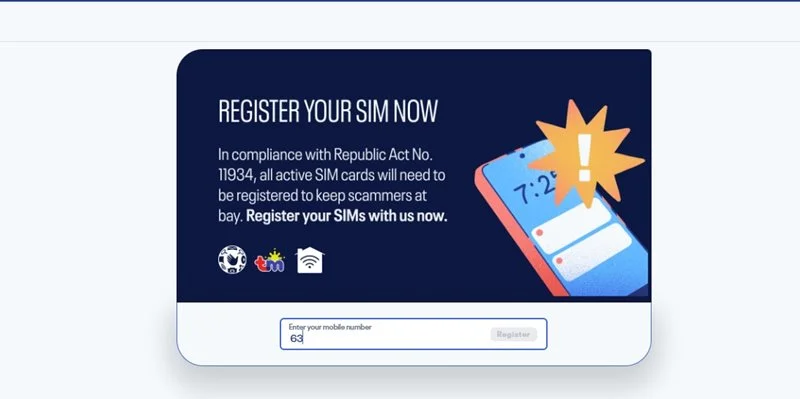
- Once logged in, you’ll see a banner or prompt that says “Register Your SIM Now.” Tap it to begin the process.
Step 3: Fill Out the Registration Form
- Enter your required personal details, including your full name, address, nationality, and Date of Birth.
Focus Point: The Date of Birth field accepts the MM/DD/YYYY format. Make sure it matches the date printed on your ID to avoid mismatched information.
Step 4: Upload Your Valid ID
- Take a clear photo of your government-issued ID. The system will automatically check your details, including the DOB, against the ID you uploaded.
Step 5: Submit and Wait for Confirmation
- After reviewing your information, tap Submit. You’ll receive a confirmation message once Globe verifies your registration.
Registering your Globe SIM unlocks more features, including easy ways to call a landline number.
Correct Format for Entering Date of Birth
While registering, many users make errors in date formatting. The correct format is:
MM/DD/YYYY — for example, if your birthday is January 25, 2001, you should type 01/25/2001.
Do not use DD/MM/YYYY as this may result in a mismatch.
Common Errors with Date of Birth and How to Fix Them
| Error Type | Cause | Fix |
|---|---|---|
| Invalid DOB Format | Entered day before month (e.g., 25/01/2001) | Use MM/DD/YYYY format |
| Age Restriction Error | Age below 18 years old | Register under a parent’s or guardian’s name |
| Mismatch with ID | DOB on ID differs from entry | Double-check ID before submitting |
| Typing Error | Wrong digit or year entered | Review before submission |
How to Edit or Update Your Date of Birth After Registration
If you made an error in your DOB after registration:
-
Open the GlobeOne App.
-
Go to Profile → Account Information.
-
Tap Update Personal Details.
-
Contact Globe Support Chat within the app to request a manual correction.
-
Provide a valid ID showing your correct Date of Birth.
Corrections are subject to verification and approval by Globe Telecom.
Why Globe Requires Accurate DOB for SIM Verification
The Philippine SIM Registration Act mandates telecom companies to collect accurate user data for accountability and fraud prevention. The Date of Birth is used to verify that the registered SIM owner is a real and eligible user, helping prevent scams, identity theft, and fake registrations.
What Happens if You Enter a Wrong Date of Birth
If the DOB doesn’t match your ID, Globe may suspend or reject your SIM registration. In some cases, you might lose access to certain services like data promos or mobile wallet verification. Always review your DOB before submission.
Tips for Smooth Registration
-
Double-check the MM/DD/YYYY format.
-
Use an original ID, not a photocopy.
-
Avoid using nicknames or shortened names that differ from your ID.
-
Register only on the official GlobeOne App or https://new.globe.com.ph/simreg.
-
Take your time to review each field before submitting.
Registering your Globe SIM through the GlobeOne App is quick, convenient, and fully digital. The most important step is ensuring that your Date of Birth matches your valid ID, a small but crucial detail that guarantees successful verification and uninterrupted mobile service.
FAQs
Can I register my Globe SIM without entering my Date of Birth?
No. The DOB is mandatory as part of government identity verification requirements.
What if I don’t remember my exact Date of Birth?
Check your government ID or birth certificate. Globe will only accept information that matches official documents.
How long does it take for Globe to verify my registration?
Usually within a few minutes, but it can take up to 24 hours depending on ID verification.
Can minors register a Globe SIM?
No. Only users 18 and above can register. For minors, a parent or guardian must register under their name.
Is my Date of Birth kept confidential by Globe?
Yes. Globe Telecom keeps your personal data secure in compliance with the Data Privacy Act of the Philippines.